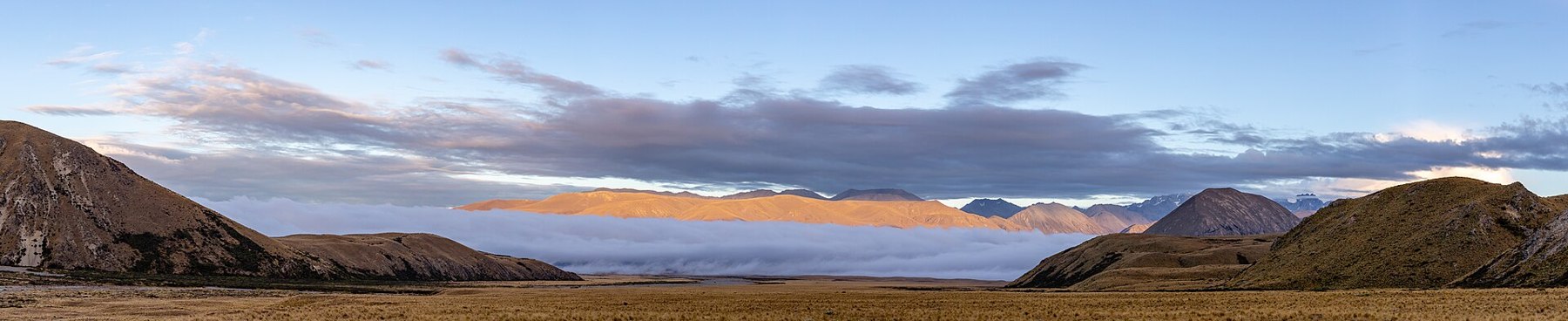
Begin with what you can already see
Expressive light does not always look like a sunbeam breaking through clouds. Sometimes the view is quiet and it is hard to pick out a main subject: grey sky, a pale distance, surfaces of almost identical tone. In this light, transitions are especially interesting to study. Look at where one shade becomes another, how clearly the far edge can be read, which surface looks solid and which seems to recede. Rest your eyes on one area, then return to the whole view: the slight difference between neighbouring tones will become more noticeable.
Start by finding a shadow and looking at its edge. In soft light it may be so blurred that even on a screen it is hard to trace the boundary with your finger. Then compare a nearby surface with a distant one: how clearly can you distinguish their details? A simple description is useful in your notes: shadow boundaries are barely visible, the distance is lighter than the foreground, clouds fill most of the sky. If you later want to compare photographs, these words will make relevant images easier to find than the general label ‘overcast’.
Look for neighbouring shades
Choose two adjacent areas: grass and stone, for example, or water and the opposite shore. Compare them without trying to name the colours precisely. Which is lighter? Which looks warmer? Where is the transition sharp, and where is it gradual? Then find a third area that connects the first two. This exercise works without a camera, too. The same grey patch can look different beside different neighbours. It is useful, then, to look both at an individual patch and at its surroundings. These relationships may look different on a screen, and that is worth bearing in mind.
If you are using a phone, check the image after tapping different parts of the frame. Automatic adjustments can change the overall brightness considerably. Keep a version in which the transitions that matter to you remain distinct. There is no need to make the sky saturated or the grass vivid at any cost. Heavy editing sometimes erases the very restraint that drew you to the view. Check the neighbouring shades you compared on the spot first: is the difference between them still there?
Simplify the frame, not the view
In quiet light, a shoreline, several layers of distant slopes or a single dark group of trees can hold your attention. Try excluding an object that tells a different story. The bright edge of a road sign, for instance, might matter in a documentary photograph of the place but distract from a study of colour transitions. Shift the frame to leave the sign outside it, and compare the result. An important stretch of shore may disappear along with it, in which case you will need to try another version.
Leave some space around the main shape. A gap between objects helps you see their outlines without increasing contrast. Test two compositions: a tight one and a more open one. Sometimes a detailed surface in the foreground makes the quiet distance more noticeable; sometimes it overwhelms it instead. Keep both versions and return to the comparison later, when your first impression has become less insistent.
Keep the restraint
When reviewing your photographs, open several side by side and see which best preserves the transitions you noticed. Try describing it without the words ‘atmospheric’ or ‘magical’. Name the visible relationships: a thin warm band above a cool one, a dark line along the lower edge, a bright empty space between slopes. A short caption beneath a pair of images can suggest which area to compare. If the difference is visible only when enlarged, show the photographs at a larger size first and check whether it survived editing.
Keep the original photograph beside the edited version. As you switch between them, watch one area: a pale strip of water near the far shore, for example. If increasing contrast has merged it with the neighbouring tone, try reducing the adjustment. Then look at the whole frame. Sometimes a small loss of detail brings an image together; sometimes it removes its most interesting transition. Return to this comparison later, once your eyes are no longer so accustomed to the edited version.